> For the complete documentation index, see [llms.txt](https://mondrian.gitbook.io/yennefer-cluster/llms.txt). Markdown versions of documentation pages are available by appending `.md` to page URLs; this page is available as [Markdown](https://mondrian.gitbook.io/yennefer-cluster/whats-new.md).
# What's New
버전별 추가된 기능을 확인하세요.
## 1. Yennefer Insight 추가
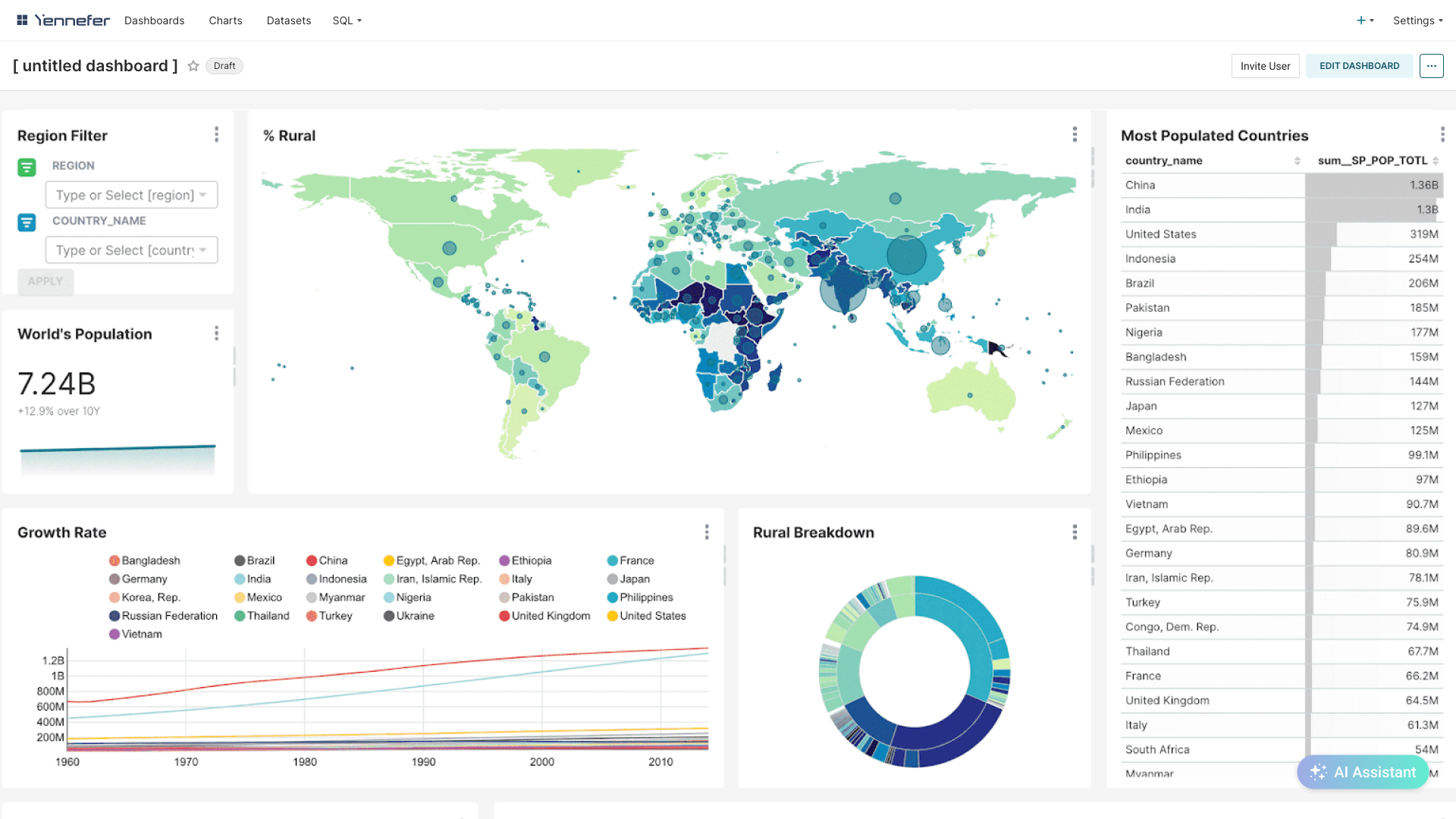
Yennefer Insight 대시보드
Yennefer Insight는 데이터 시각화 및 AI Assistant 기능이 탑재된 강력한 분석 도구입니다. 연구 환경에서 생성된 산출물과 데이터를 활용하여 직관적인 대시보드를 만들고, 다양한 차트를 통해 데이터의 흐름과 패턴을 한눈에 파악할 수 있s습d니다.
Yennefer Studio에서 연구를 진행하며 축적된 데이터를 Yennefer Insight로 가져와 시각적으로 표현해 보세요. 간단한 설정만으로 다양한 형태의 차트를 생성할 수 있으며, 이를 통해 연구 결과를 보다 명확하고 효과적으로 전달할 수 있습니다.
또한, Yennefer Insight에 내장된 AI Assistant를 활용하면 생성된 차트에 대해 질의응답을 진행할 수 있습니다. AI Assistant는 차트 데이터를 분석하여 의미 있는 인사이트를 제공하고, 특정 패턴을 설명하거나 데이터 간의 관계를 해석하는 데 도움을 줍니다. 복잡한 데이터를 보다 쉽게 이해하고, 연구 및 분석 과정에서 새로운 발견을 할 수 있도록 지원합니다.
## 2. Header 업데이트
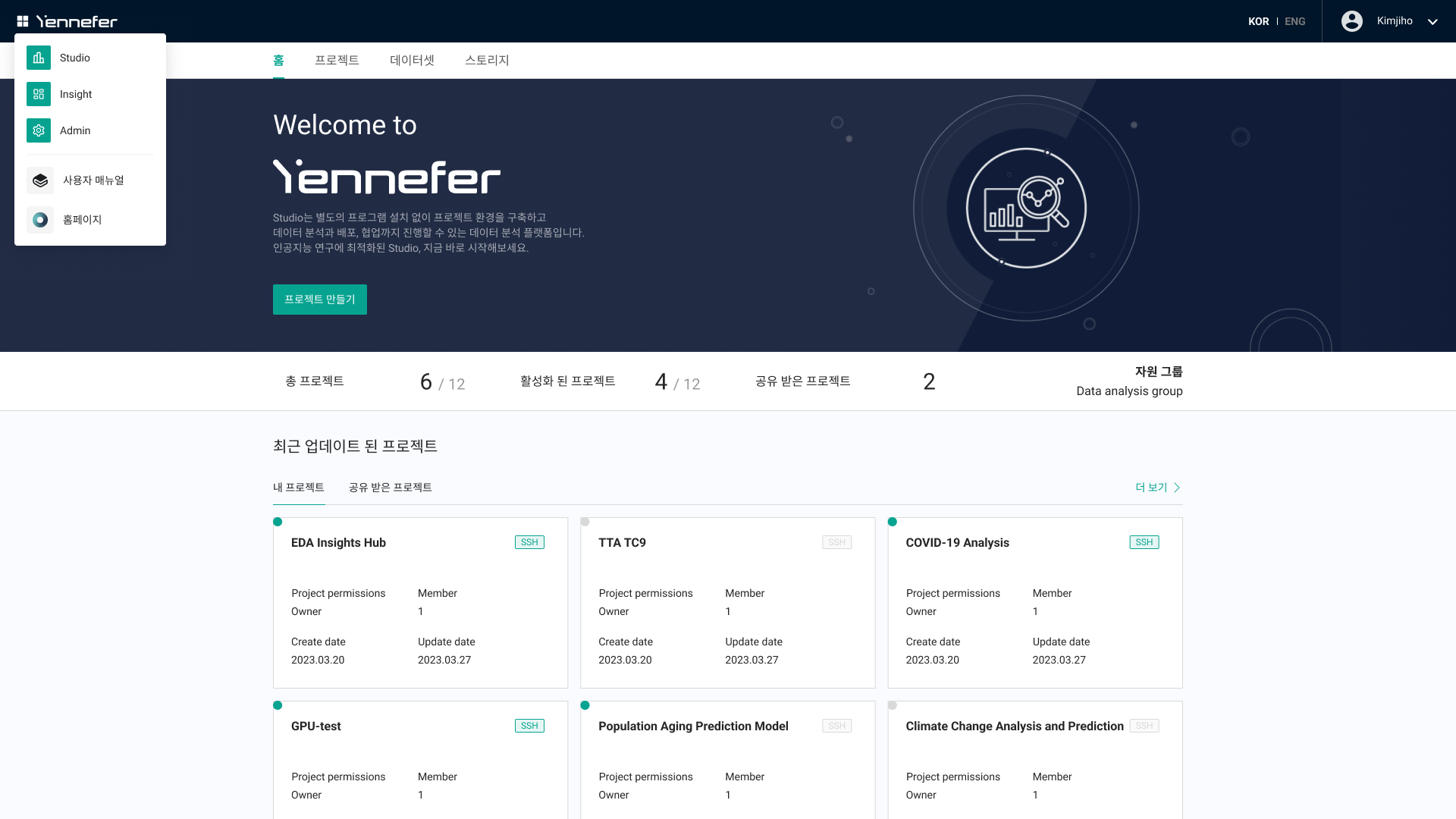
업데이트 된 Header UI
Yennefer의 Header UI가 새롭게 업데이트되었습니다! 이제 어느 페이지에서든 원하는 도메인으로 더욱 빠르고 편리하게 이동할 수 있습니다.
새로운 Header UI는 직관적인 내비게이션을 제공하여 Yennefer Studio, Yennefer Insight, Admin 등 주요 도메인 간 전환이 원활하도록 설계되었습니다.
이를 통해 연구 환경을 보다 유연하게 활용할 수 있으며, 사용자는 특정 기능을 찾기 위해 여러 단계를 거칠 필요 없이 즉시 원하는 도메인으로 이동할 수 있습니다.